KehillaHQ

Product updates.

What we shipped and why it helps. Posted most weeks.

Subscribe by RSS

Sep 2026

ImprovedYahrzeitsDues

Print or export your Yahrzeits and Dues records

Yahrzeits and Dues now use the same Export button as Members and Households, instead of separate buttons for a spreadsheet and a printable list. Choose a spreadsheet or a printable list, then pick which records to include.

On Yahrzeits, you can now export or print just the records you've selected in the list, not only a date range.

On Dues, Export now includes a printable list of every household's commitment, amount paid, balance, and status, alongside the spreadsheet export you already had.

NewDuesGeneral

Accept Dues payments and donations online

If your community uses Stripe, you can now turn on a public giving page for your congregation. Turn it on in Settings, under Payments & data sources, then share the link so anyone can pick a fund and give by card or bank transfer, with quick amounts of $18, $36, $72, and $180 or their own amount.

For Dues, use Copy dues link from a household's Dues tab to send a link that opens already filled in with that household's balance, ready to pay online.

Anyone giving or paying Dues can add a short note, like a dedication in memory or honor of someone, right on the payment form.

FixedMembersGeneral

Small fixes for the week of September 1

  • Member tags now show on household member cards and the member profile header, not just where they were added.
  • Forgot password now replies the same way every time, so an email delivery hiccup can't accidentally reveal who has an account.

Aug 2026

NewDuesGeneral

Export and print your Donations and Commitments records

You can now use Generate list on the Donations page to create a printable Donations report, or Export CSV to download your Donations or Commitments records as a spreadsheet.

Donations can be filtered by This month, Last month, a specific year, or a custom date range, and that filter now drives the totals, fund breakdown, and export together. Because these files include financial details, both exports ask you to confirm you'll share them responsibly before downloading.

NewMembersHouseholds

Print or export your Members and Households lists

You can now export your Members or Households list right from the Members page. The new Export button lets you choose Spreadsheet (CSV) or Printable list (PDF), and for printed lists you can pick a Household (directory) or Member (simple list) layout.

You can choose whether phone numbers, emails, and addresses appear on the printed list, and CSV exports now give email and phone their own columns.

NewHouseholdsMembers

Add a second address for a household

Some households split their time between two homes, or need mail to go to a second address. You can now add a second address to any household from the edit screen, with its own street, city, state, and ZIP.

The second address shows on the household and member profiles, and it's included when you export your Households to a spreadsheet.

NewGeneralDuesYahrzeitsHouseholds

A dashboard built around what needs your attention

Your admin dashboard has a new look, built around what needs your attention today. A "To take care of" section calls out things like payments waiting to be filed and Dues that are 60 or more days past due, so you know where to start.

"This week in the community" brings together upcoming Yahrzeits and birthdays, plus membership anniversaries worth celebrating.

If your congregation tracks donations, you'll also see a new "Donations by fund" chart showing where giving is coming from this year.

NewGeneral

Give teammates exactly the access they need

When you invite or edit a teammate, you can now set their access module by module across Members & Households, Yahrzeits, and Finances, each at No access, View, or View & edit. Start from a preset like Office staff, Clergy, Treasurer, Board member, or Volunteer, or build a custom combination.

You can also hide contact details, or, for roles that provide pastoral care, add access to confidential pastoral notes on member profiles. Each person's access shows at a glance as Administrator, a preset name, or Custom access.

NewHouseholdsMembersDues

Track donations right on Household and Member profiles

Every Household profile now has a Donations tab, showing each gift's date, fund, method, note, and amount, with a running total for the year. Member profiles show the same details for that person, with their own year-to-date total.

Use Record a gift on either page to log a new donation without leaving the profile. You can also reach Funds directly from Settings now, instead of only through the Donations page.

NewYahrzeits

Export exactly the Yahrzeit details you need

You can now choose exactly what goes into a Yahrzeit CSV export. From the Import / Export menu on the Yahrzeits page, pick which column groups to include, such as deceased name, Hebrew name, date of death and calendar, next observance, relationship, remembered by, cemetery and plaque, and notes.

Choose which records to export too: the current filtered view, all records, or only those with a next observance in a date range. An Only include section lets you narrow further, to records remembered by a member, with an email address, or marked with a cemetery or plaque.

NewDues

Connect PayPal to bring payments in automatically

You can now connect your congregation's PayPal account from Settings, with a step-by-step guide that walks you through it. Once connected, PayPal payments sync in automatically and wait for you on the To file page, where you match each one to a household and a fund.

Save a filing rule for a recurring payment and future payments from the same source file themselves. You can also create a new fund right from the filing dialog instead of stopping to set one up first, and ignore duplicate entries left over from an earlier import.

NewMembers

See when a member became inactive

When you mark a member Inactive, we now record the date and show it on their profile as "Inactive since." It's a quick way to see who left and when, without digging through history.

This applies going forward. Members who were already inactive before this update won't show a date.

NewDuesHouseholds

Track dues, payments, and statements for every household

You can now track dues, record payments, and generate statements for every household in one place. Dues settings can be tailored to how your congregation asks for support, whether that's suggested amounts, tiers, or open giving.

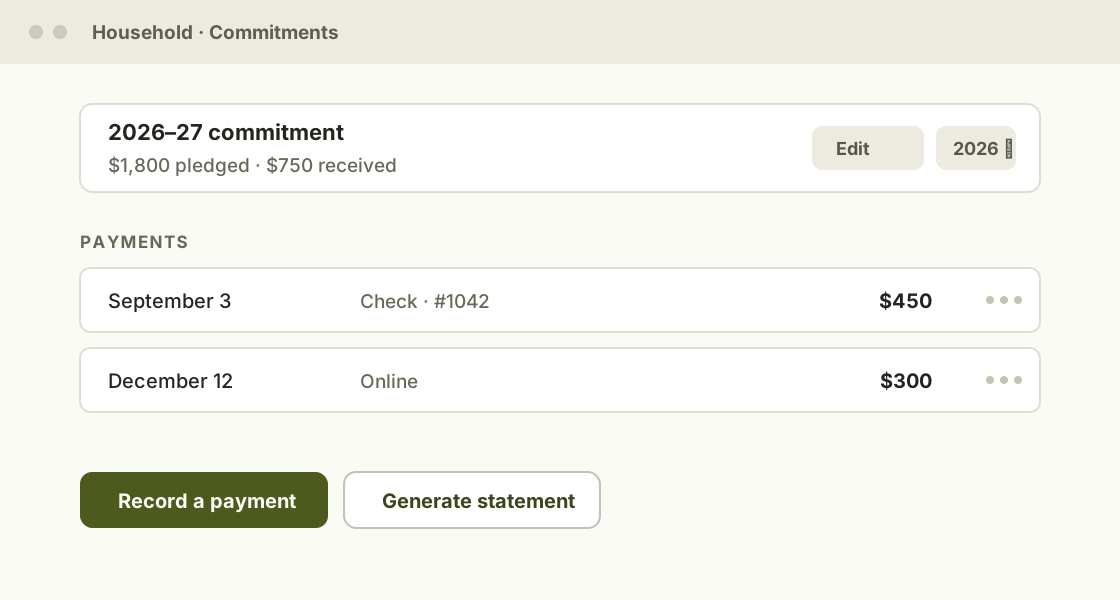
If you need to fix a mistake, you can edit or delete a payment, or remove a commitment, right from a household's Dues tab. The edit screen also has a year picker, so a treasurer can update a past or upcoming year without leaving the flow.

A household's Dues tab: the year's commitment with payments recorded against it, and buttons to record a payment or generate a statement

ImprovedHouseholdsMembersGeneral

A fresh new look, and a simpler Households page

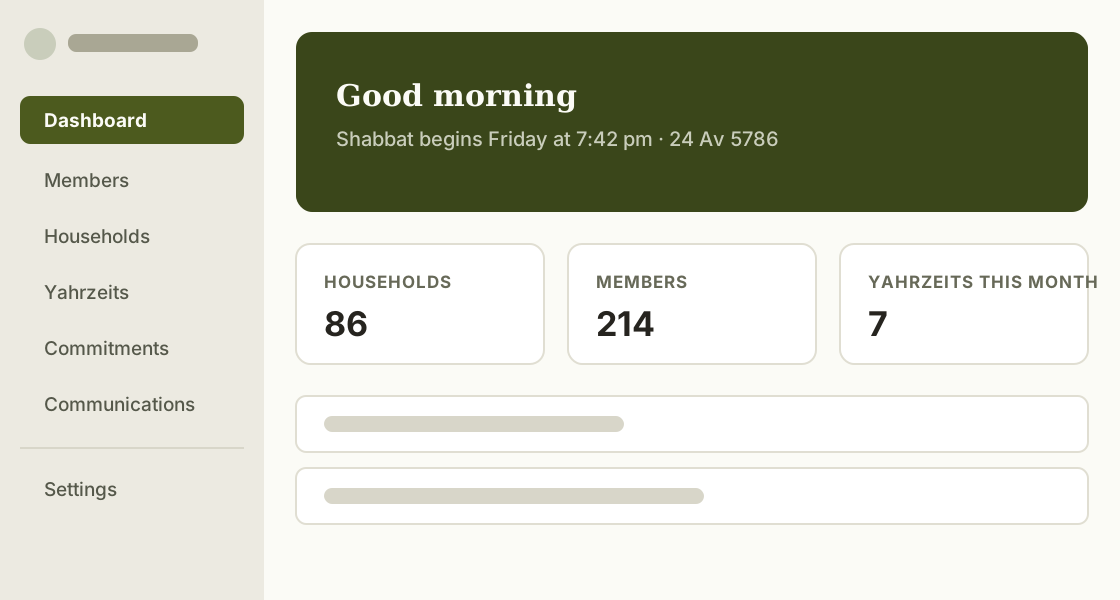
KehillaHQ has a new look, with new colors and fonts, a redesigned Dashboard, and cleaner navigation throughout. Settings is now organized into a simpler menu, grouped by Organization, Modules, and Advanced.

On the Households and Members pages, inactive households and members are hidden by default so your active list stays focused, and a household's Family tab is now part of Overview. An all-deceased household simply shows as inactive, with a Memorial badge marking why.

The redesigned Dashboard: refreshed navigation, a welcome header, and a strip of key numbers for the congregation

NewYahrzeits

Note cemetery and plaque remembrance on Yahrzeit records

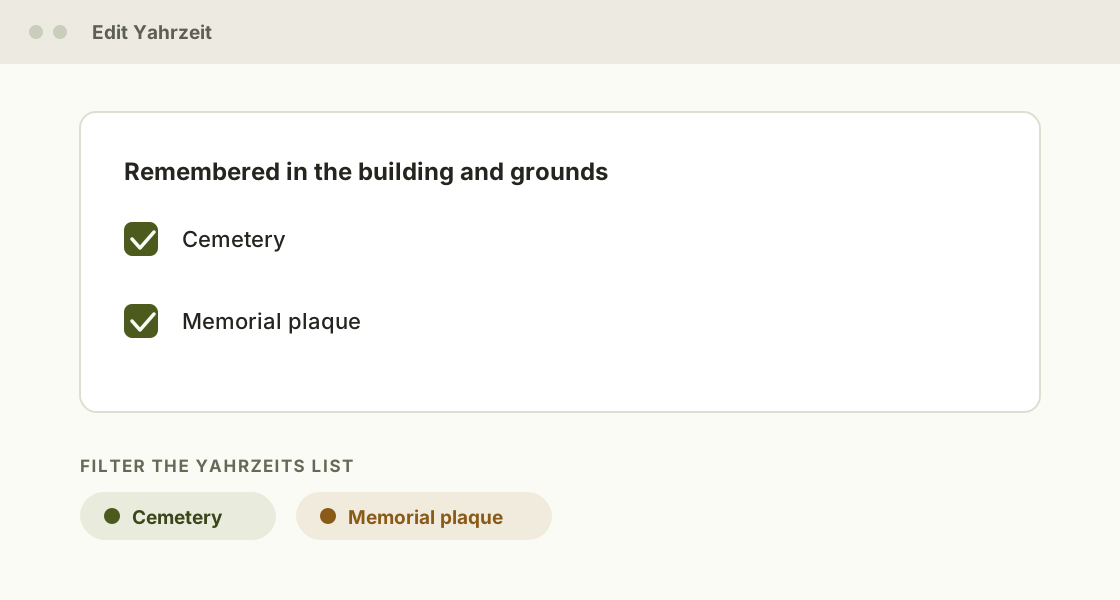
Some of the people your congregation remembers rest in a cemetery the community tends. Some are honored with a memorial plaque in the building. A Yahrzeit record can now note both, with a simple checkbox for each under "Remembered in the building and grounds".

You can also filter the Yahrzeits list by either marker, which makes preparing for a cemetery visit or checking the plaques ahead of a Yahrzeit much quicker.

You'll find the checkboxes when adding or editing a Yahrzeit.

Editing a Yahrzeit: the "Remembered in the building and grounds" checkboxes for cemetery and memorial plaque, with matching filters on the list

NewMembersHouseholds

Tags for Members and Households

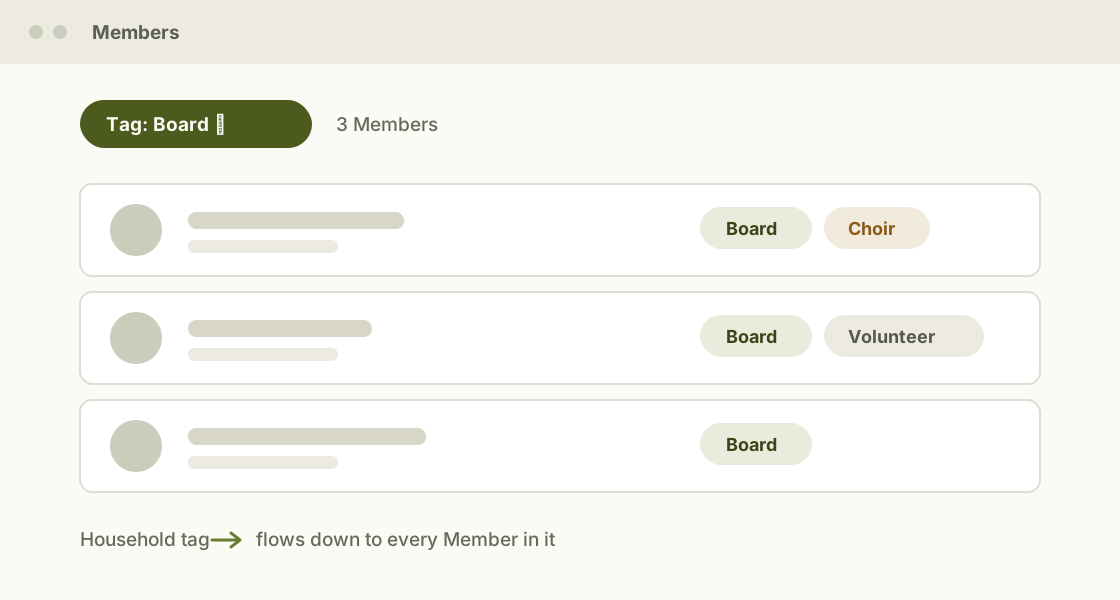
Every community has groups that matter to it: board members, choir, volunteers, religious school families. You can now add tags to individual Members, and a tag on a Household flows down to everyone in it.

Filter any Member list by tag to build the group you need in a couple of clicks. Tags also work together with the other filters, so "board members in Households with open dues" is one filtered view, not a spreadsheet project.

The Members list filtered by the Board tag, with tag chips on each row and a Household tag flowing down to its Members

Jul 2026

FixedYahrzeitsMembers

Small fixes for the week of July 27

  • A Yahrzeit's reminder history now shows exactly what was sent, including attempts that failed, so you never have to wonder whether a family heard from you.
  • You can now correct the email address on a Yahrzeit reminder contact without re-creating it.
  • Phone numbers pasted into a Member import are tidied into one consistent format on the way in.